
Download Musify Music Downloader – Free Fast Music Downloader, Converter & Offline Player
Overview of Musify Music Downloader
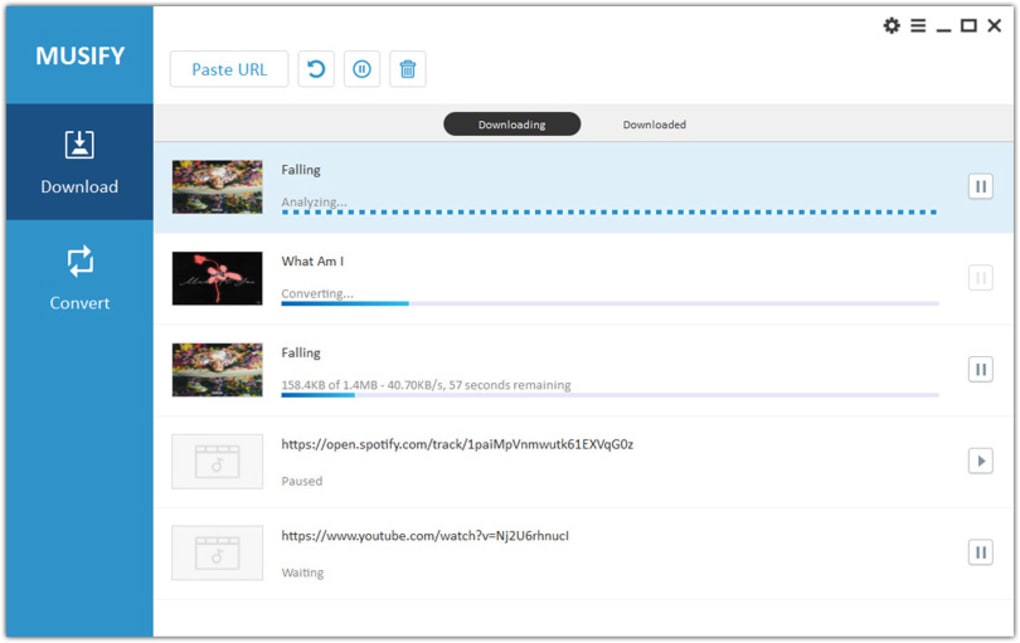
Musify Music Downloader, created by the reputable iTubeGo team, is a freemium multimedia solution that lets you capture any song or playlist from a wide range of streaming platforms—including Spotify, SoundCloud, Vevo, YouTube, Facebook and thousands of other sites. The moment you launch Musify, you are greeted by a clean, intuitive interface that balances powerful functionality with user‑friendly navigation. Whether you simply want to download a single track or bulk‑extract an entire playlist, Musify handles both scenarios with equal ease.
The core promise of the software is “no quality loss”: every audio file you save retains the original bitrate and metadata, from 64 kbps up to 320 kbps, ensuring a crystal‑clear listening experience even on high‑end audio equipment.
One of Musify’s standout advantages over competitors like YTD Music Downloader Pro is its built‑in multithread technology, which can accelerate download speeds up to ten times faster than conventional managers. This speed boost is especially noticeable when you queue multiple songs or large playlists—the downloader splits each request across several threads, reducing waiting time to mere seconds.
In addition, Musify offers a built‑in proxy feature that bypasses regional restrictions, allowing you to fetch tracks that might otherwise be blocked in your country.
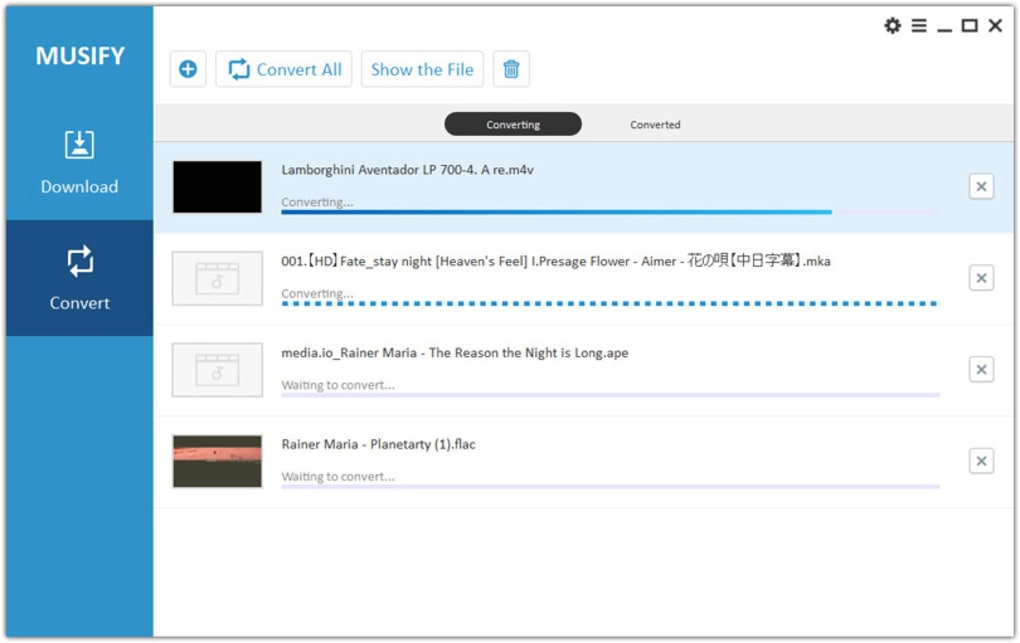
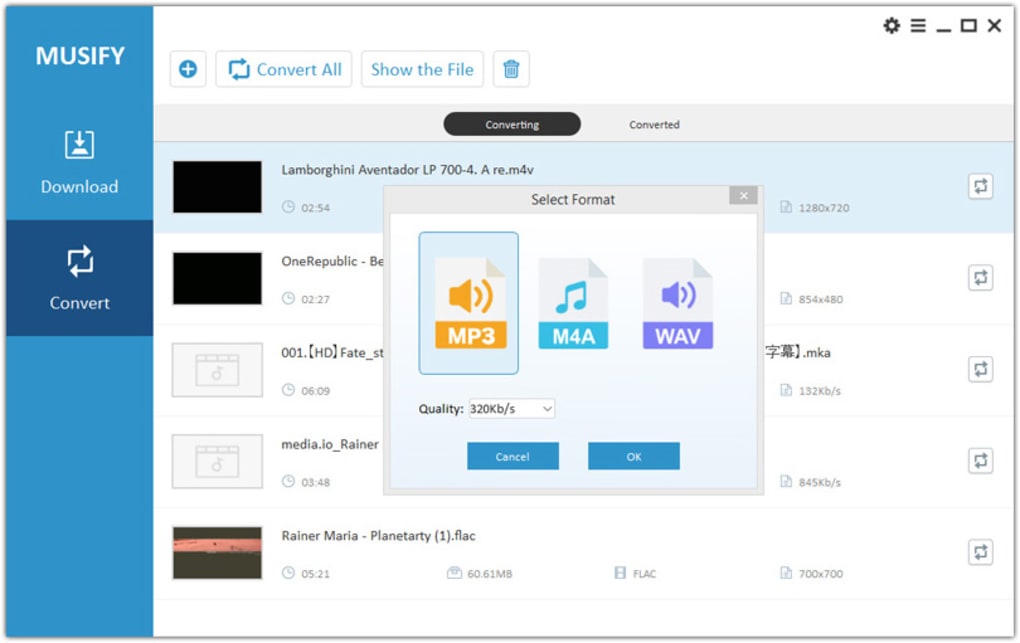
The software also doubles as a powerful converter. After downloading a video, you can instantly transform it into popular audio formats such as MP3, M4A, OGG, AAC, and more.
The conversion process preserves ID3 tag information—including title, artist, album art, and lyrics—so your music library stays organized without extra manual effort. If you wish to fine‑tune those tags, Musify recommends using the companion tool TidyTag, which integrates seamlessly with the application.
Key Features That Set Musify Apart
- Universal Source Support: Download from over 1,000 music and video platforms, covering mainstream services (Spotify, SoundCloud, Vevo) and niche sites.
- Lightning‑Fast Multithread Engine: Achieve up to 10× faster download speeds thanks to parallel thread processing.
- High‑Quality Audio Extraction: Choose output bitrates from 64 kbps to 320 kbps, preserving original sound fidelity.
- Multiple Output Formats: Convert videos to MP3, M4A, OGG, AAC, FLAC, WAV and more, ensuring compatibility with iTunes, QuickTime, VLC, and other players.
- Batch Playlist Download: Save entire playlists or albums in one click, with automatic folder organization.
- Full ID3 Tag Retention: Keeps title, artist, album, cover art, genre and lyrics intact; edit with TidyTag if needed.
- In‑App Proxy & VPN Support: Bypass geo‑locks by switching IP addresses directly within the application.
- Built‑in Media Player: Preview downloaded tracks without leaving the program.
- Secure & Ad‑Free Experience: Freemium version is free of intrusive ads, while premium unlocks extra threads and priority support.
- Regular Updates: Automatic patching ensures compatibility with new site layouts and security standards.
Installation, Usage & Compatibility
Getting started with Musify Music Downloader is straightforward. The installer is a lightweight .exe for Windows and a .dmg for macOS. After downloading from the official iTubeGo website, run the installer and follow the on‑screen prompts. The setup wizard checks for required components (such as .NET Framework on Windows) and installs them automatically if missing. Once installed, launch Musify from your desktop shortcut or the Applications folder.
Step‑by‑step usage:
- Copy the URL of the song, album or playlist you wish to download.
- Paste the link into Musify’s main input field.
- Select the desired output format and quality (e.g., MP3 320 kbps).
- Click “Download” – the multithread engine instantly splits the job across several connections.
- After the download finishes, you can convert the file, edit its ID3 tags, or play it directly in the built‑in player.
Supported Operating Systems: Musify runs on Windows 7, 8, 10, 11 (both 32‑bit and 64‑bit) and macOS 10.13 (High Sierra) or later. A Linux version is currently in beta, accessible via a downloadable .AppImage package. Mobile users can benefit from the companion iOS and Android apps, which share the same core engine but feature a simplified UI for on‑the‑go downloading.
For users concerned about security, Musify employs SSL encryption for all data transfers and stores no personal information on its servers. The free version includes a daily download limit (approximately 50 tracks) which can be lifted by upgrading to the premium plan. Premium users also gain access to additional threads, priority server queues, and a dedicated support line.
Pros, Cons & Frequently Asked Questions
Pros
- Extremely fast multithreaded downloads.
- Supports a huge variety of audio and video sources.
- Preserves original audio quality and metadata.
- Multiple output formats ensure broad compatibility.
- Built‑in proxy feature circumvents geo‑restrictions.
- Ad‑free experience in the free tier.
- Regular updates keep the software current.
Cons
- Free version imposes a daily download cap.
- No built‑in video editing tools (focuses on audio).
- Premium subscription required for the highest thread count.
- Linux support still in beta and may lack some features.
Frequently Asked Questions
Is Musify Music Downloader legal to use?
Musify itself is a legal tool that enables you to download content you have the right to access, such as royalty‑free tracks or songs you own. Downloading copyrighted material without permission may violate local laws, so always respect the terms of service of the source platform.
Can I download playlists from Spotify?
Yes. By providing a public Spotify playlist URL, Musify extracts each track and saves it as a high‑quality MP3 (or your chosen format) while preserving the original order and metadata.
What formats are supported for conversion?
Musify supports MP3, M4A, AAC, OGG, FLAC, WAV, and AIFF. All formats maintain ID3 tag information, and you can choose bitrate settings from 64 kbps up to 320 kbps.
How does the in‑app proxy work?
The proxy module lets you select a server location from a list of worldwide nodes. Musify routes your download request through the chosen server, effectively masking your IP and bypassing regional restrictions.
Is there a mobile version for Android or iOS?
Yes. Musify offers companion apps for both Android and iOS that share the same core engine, allowing you to download and convert music directly on your smartphone or tablet.
Musify Music Downloader delivers a balanced mix of speed, versatility, and ease of use. Its multithreaded engine is genuinely impressive, cutting download times dramatically. While the free tier’s daily limit may frustrate heavy users, the affordable premium plan unlocks the full potential. Overall, Musify stands out as a reliable, secure, and feature‑rich solution for anyone looking to build an offline music library.
Conclusion & Call to Action
If you’re tired of juggling multiple subscriptions just to keep your favorite tracks offline, Musify Music Downloader offers a compelling, all‑in‑one alternative. Its ability to fetch songs from virtually any streaming service, preserve original quality, and convert files into a plethora of formats makes it a must‑have tool for casual listeners and audiophiles alike. The built‑in proxy, ID3 tag preservation, and lightning‑fast multithreaded engine set it apart from the competition, while the free version provides enough functionality to test the waters without any hidden fees.
Ready to experience seamless music downloading? Download Musify Music Downloader now and start building your offline library today. Upgrade to the premium plan for unlimited downloads, extra threads, and priority support—because your music deserves the best.







